

How to post glitter GIFs and glitter text on Discord
Paste a link to a GIF in a Discord chat, and Discord shows the GIF moving. Every graphic on Glitter Graphics has that link ready for you, and so has every glitter text you make. Copy it, paste it, and everyone in the chat sees it sparkle.
1 Copy the box of a graphic
Pick a graphic - an animated GIF, a sparkle, a greeting - and open its page. Under the picture is the box Copy this to Facebook or Discord. Click in it to select it all, and copy it.
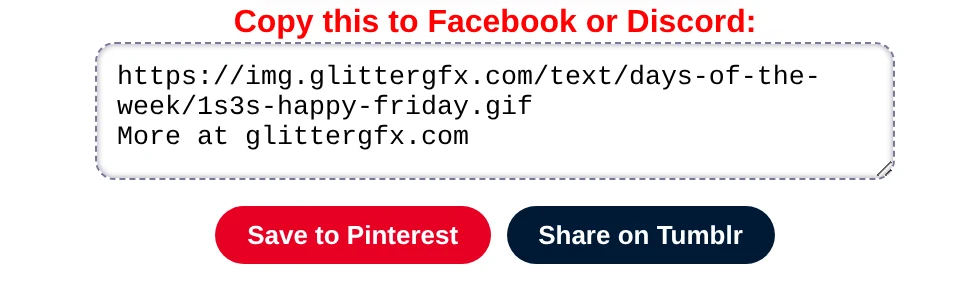
The first line is the picture itself, as a link that ends in .gif. The second line, More at
glittergfx.com, tells whoever sees it where to find more.
2 Paste it in a chat
In Discord, paste the two lines in the message box of a chat or a channel, add your own words before them if you like, and send. Discord shows the GIF under your message, moving.
hiii everyone!
https://img.glittergfx.com/text/greetings/1ika-stopping-by-to-say-hi.gif
More at glittergfx.com

3 Glitter text, the same way
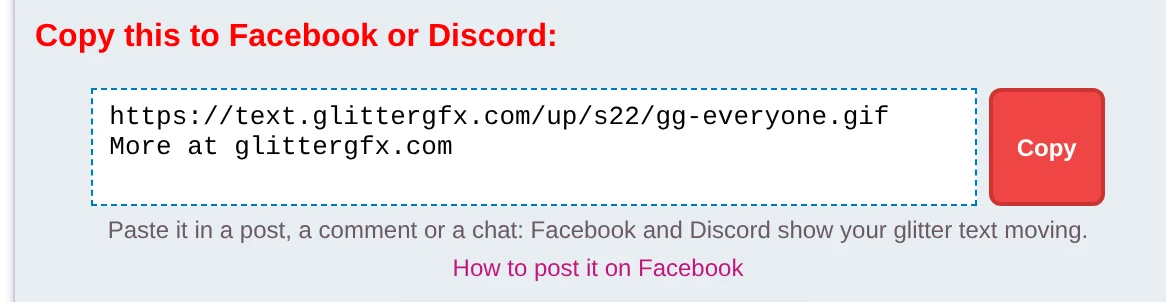
Your own words in glitter: open the glitter text generator, type your words, pick a letter style, and click Copy next to Copy this to Facebook or Discord. Paste it in a chat as above, and your glitter text shows up moving.
More on the letters and the styles: how to make glitter text.
4 A GIF of your own: upload it
Made something yourself - a name on a graphic in the Glitter Editor, a blinkie in the Blinkie Studio, glitter words with Make it one glitter GIF? That is a file on your computer or phone, not a link. Download the GIF, and in Discord send it as a file: drag it into the chat, or use the plus button next to the message box.
Keep it a GIF (not a screenshot) and it moves there as well. How to save one so it keeps moving is in how to save a GIF so it keeps moving.
Good to know
- No picture under your message? Some servers do not show previews of links in a channel, and Discord lets anyone turn link previews off for themselves. Send the GIF as a file instead.
- The same box works on Facebook: see how to post glitter GIFs and glitter text on Facebook.
- A name on a graphic first? Personalize: add a name, under every graphic for all ages, opens it in the Glitter Editor.
Make glitter text or find an animated GIF
Good to know next
 How to post glitter GIFs and glitter text on FacebookThe link that moves on Facebook and Discord, and the GIF for WhatsApp.
 How to make glitter textYour words in glitter letters, for Facebook, a chat or your page.
 How to save a GIF so it keeps movingOn a computer or a phone, and why a screenshot stands still.
 How to put your name on a glitter graphicA name or a greeting in glitter on a graphic, a photo or an empty canvas.