

How to add blinkies to your Neocities page
Blinkies are the little blinking banners of the old web: usually 150 × 20 pixels, a few words in pixel letters on a sparkly background. On Neocities they are everywhere again - in a row under your name, on a wall of things you love. Here is how to put them on your own page, in two ways, and how to make one that is all yours.







1 Pick your blinkies
Glitter Graphics has thousands of blinkies, sorted by what they say: love, funny stuff, personality, movies, music and TV, zodiac signs and more. Start at all blinkies, or search for a word - "cats", "coffee", "pisces". Click one you like to open its page.
2 The quickest way: copy the code
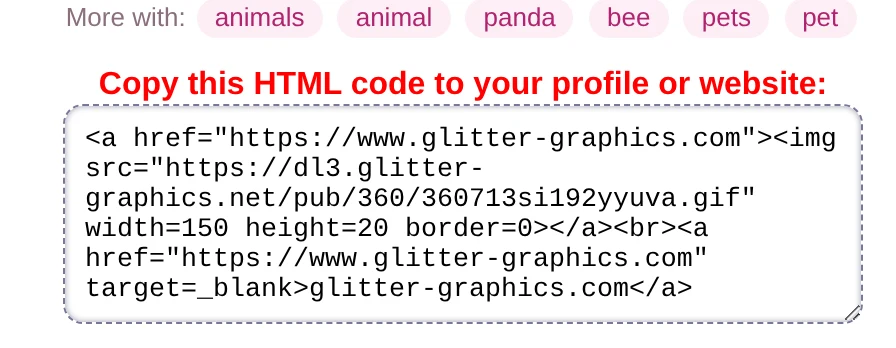
On the page of a blinkie, under it, is a box that says Copy this HTML code to your profile or website. Click in the box to select it all, and copy it.
In Neocities, open your page (Edit next to index.html on your dashboard), paste the code where the
blinkie should be, and press Save. The code looks like this:
<a href="https://www.glitter-graphics.com"><img src="https://dl3.glitter-graphics.net/pub/360/360713si192yyuva.gif" width=150 height=20 border=0></a>The picture stays on Glitter Graphics, and a click on it brings people here, where they can find blinkies of their own. That is all: no files to keep.
3 The Neocities way: put the GIF on your own site
Many Neocities people like every file of their page on their own site. That works as well:
- Save the GIF. On the page of the blinkie, right-click the blinkie and choose Save image as (on a phone:
press and hold it). Keep the
.gifat the end of its name: give it a short name, likeanimal-lover.gif. - Upload it. On your Neocities dashboard, click Upload, or drag the file onto your list of files. A
folder keeps it tidy: make one called
blinkieswith New Folder and upload into it. - Put it on your page. Edit
index.htmland add the picture by its name:
<img src="/blinkies/animal-lover.gif" width="150" height="20" alt="Animal lover">The alt text is what someone hears who cannot see the picture, and what shows if it does not load: say
what the blinkie says.
4 A wall of blinkies
One blinkie is nice; a whole wall of them is the old web. Put them in a box that lines them up in rows and lets them wrap to the next row when the line is full:
<div class="blinkies">
  <img src="/blinkies/animal-lover.gif" width="150" height="20" alt="Animal lover">
  <img src="/blinkies/music-is-life.gif" width="150" height="20" alt="Music is life">
  <img src="/blinkies/love.gif" width="150" height="20" alt="Love">
</div>

<style>
  .blinkies { display: flex; flex-wrap: wrap; gap: 4px; max-width: 470px; }
  .blinkies img { image-rendering: pixelated; }
</style>
It looks like this:
~ welcome to my little corner ~
Bigger? Make a blinkie exactly twice as big (width="300" height="40"): with
image-rendering: pixelated every pixel stays sharp. At one and a half times it gets blurry or uneven - keep
to whole times.
5 Make a blinkie of your own
Your own words, your own colors: the Blinkie Studio makes blinkies, 88 × 31 buttons, stamps and banners, right in your browser. Pick one to start from and change everything.
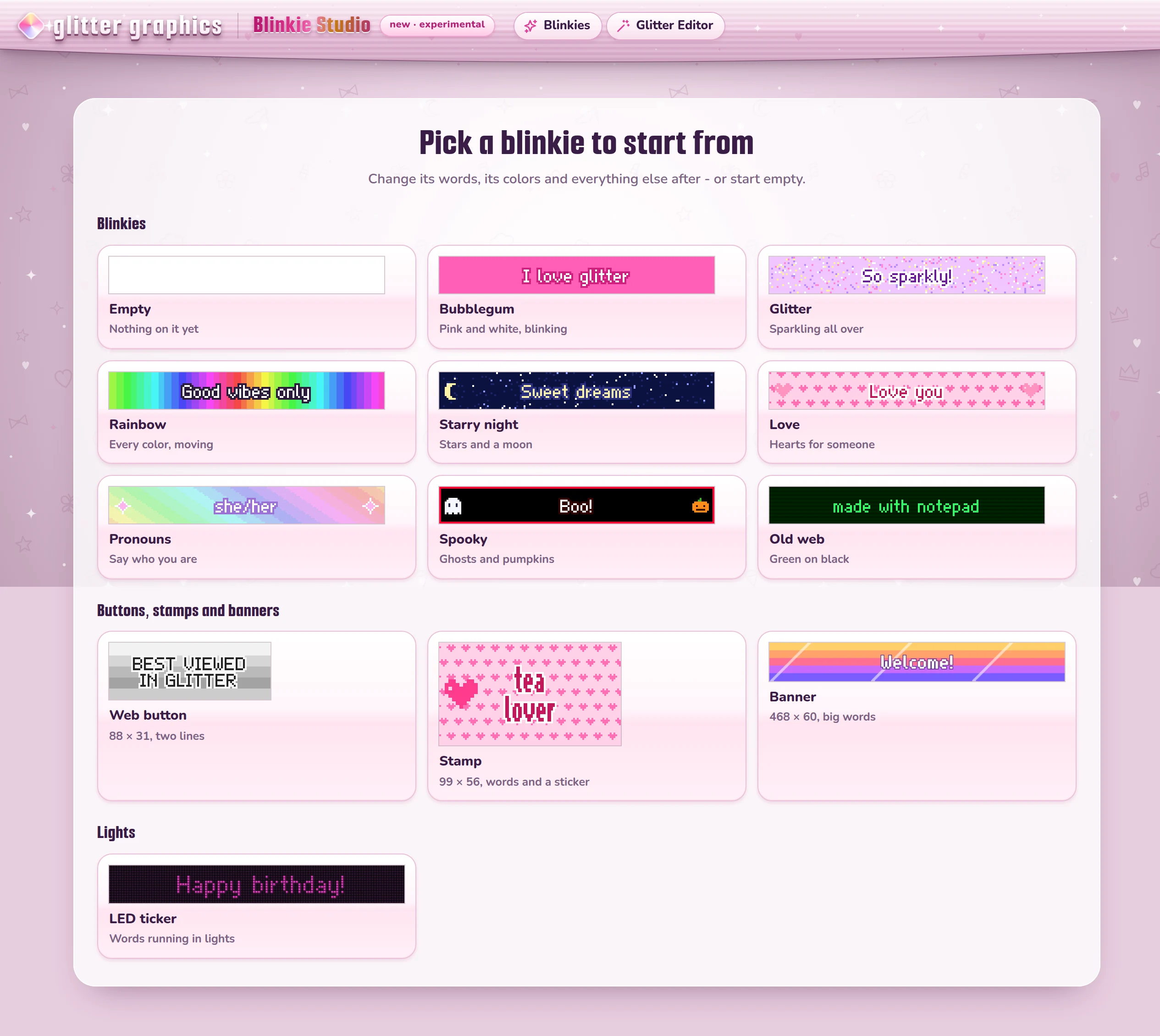
Type your words, then try the tools on the left: colors, a background, motion, stickers, drawing, a border. Under it, Your blinkie shows it as it will be, moving.
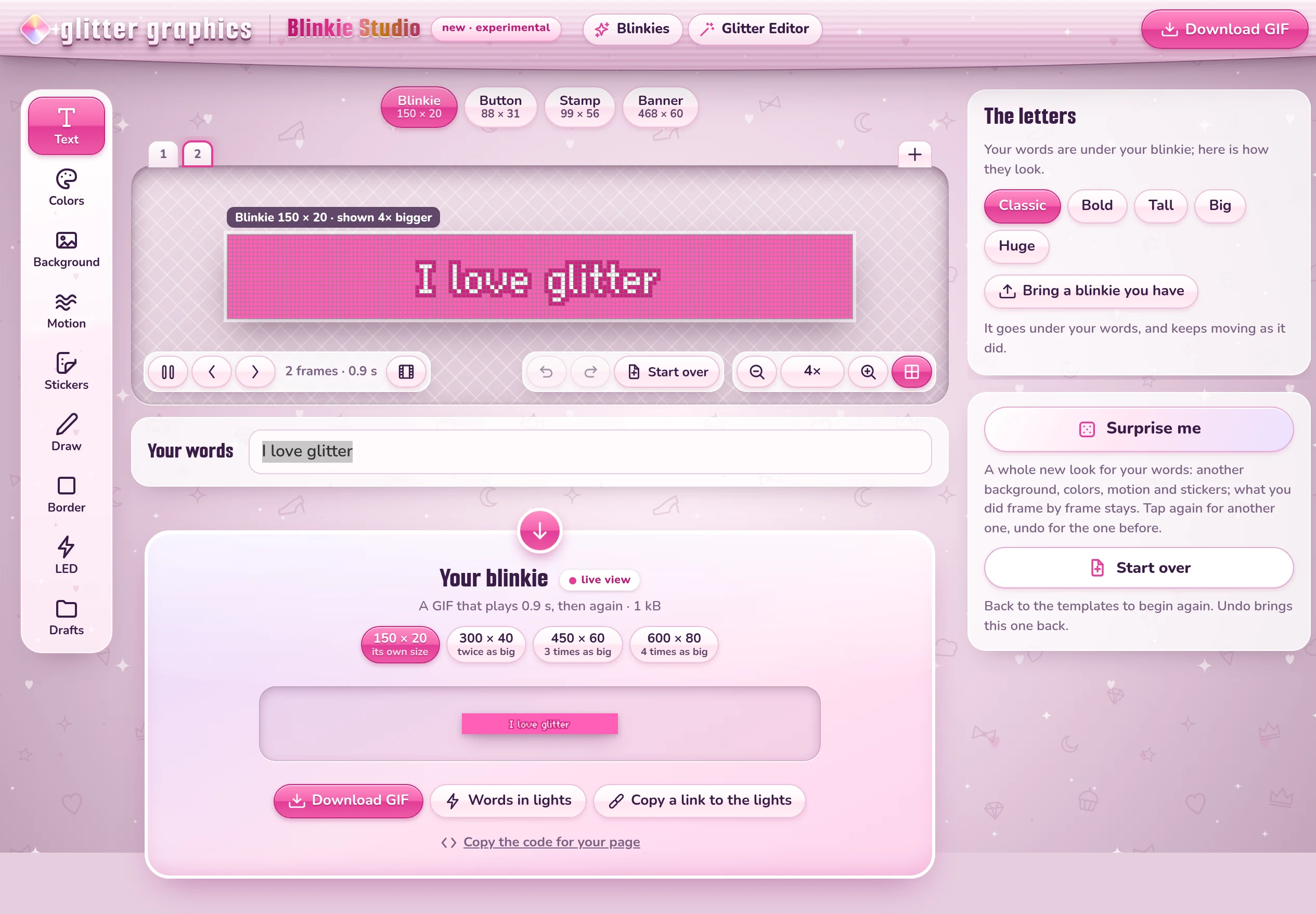
Click Download GIF, upload the GIF to Neocities as in step 3, and click Copy the code for your page: paste that into your page, and your blinkie is there - with its name and its size already in the code.
Open the Blinkie Studio or pick a blinkie
Good to know
- The same code works anywhere that takes HTML: the About Me of SpaceHey, your own blog, any web page.
- A blinkie that does not move on your page? Check that its file name ends in
.gif, and that it was saved as the GIF itself and not as a screenshot. - Two or more blinkies side by side but on separate lines? There is a
<br>or a<p>between them: take it out, or use the wall from step 4. - Want a name on a graphic instead? The Glitter Editor puts any text on any graphic, and the text generator makes glittering words.
Good to know next
 How to put a glitter graphic on your website, blog or profileThe code under every graphic, and where it goes: Neocities, Blogger, WordPress, SpaceHey.
 How to make an 88x31 button or a stampYour own 88x31 button or 99x56 stamp, and a button that links to your site.How to show a small GIF bigger without blurring itOne line of CSS keeps a blinkie crisp at twice or three times its size.
 How to put graphics side by side, or in the middleSide by side, a row that wraps, or in the middle: a line or two of code.